UNWIRED.IT Remote support

CURRUMBIN / 4223 / OWNER OPERATED

Computer repairs & IT support in Currumbin.

Straightforward help for troublesome computers, unreliable Wi-Fi, email problems, security concerns and the technology that keeps a home or small business moving. When you contact UnWired IT, you deal directly with Luke from the first diagnosis to the fix.

01 / THE RIGHT SUPPORT PATH

Start with the problem, not a sales pitch.

A slow laptop, repeated Wi-Fi dropouts and a Microsoft 365 sign-in problem need very different fixes. I begin by understanding what is happening, what has already been tried and how the issue affects you. From there, we choose the most sensible support path.

REMOTE SUPPORT

For issues that can be diagnosed securely online

Remote support can be a good fit for software errors, email setup, account problems, Microsoft 365, updates and general troubleshooting. We arrange the session with you; you do not need to grant permanent access to your computer.

ON-SITE SUPPORT

For hardware, Wi-Fi and anything that needs hands on site

On-site support suits physical computer faults, network cabling, printers, Wi-Fi coverage, new equipment and problems involving several devices. It also lets me see how the technology is actually being used, not just what appears on one screen.

ASSESSMENT & REPAIR

For computers that need deeper investigation

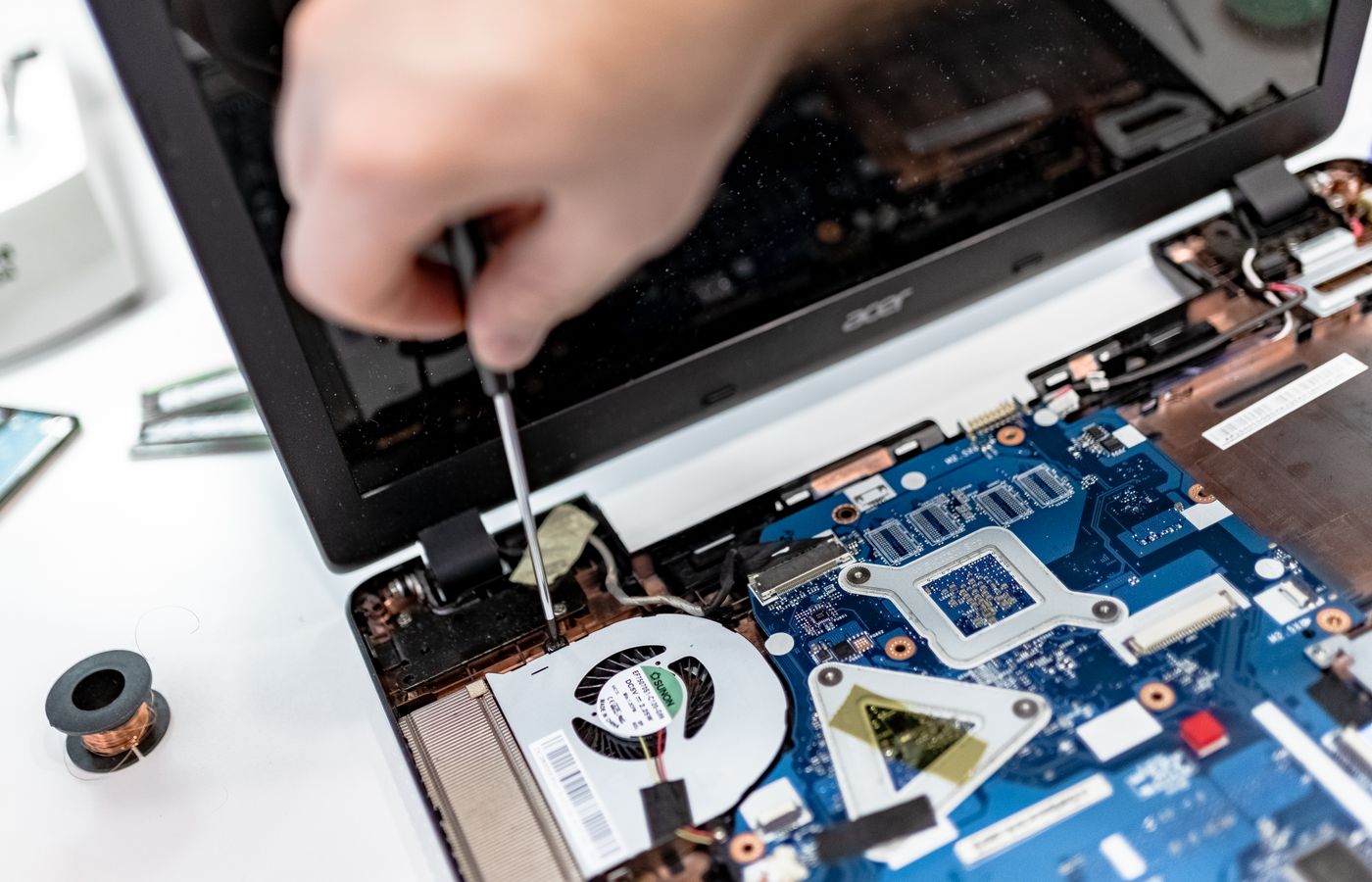
When the cause is not obvious, I assess the computer before recommending parts or a replacement. The aim is to separate a worthwhile repair from money better spent on a clean migration to a new device.

02 / COMPUTER & IT SERVICES

Common reasons Currumbin clients ask for help.

This list covers common starting points rather than every possible job. If technology is broken, unreliable, insecure or getting in the way, describe the problem and I will tell you honestly whether I can help.

01

Desktop and laptop troubleshooting

Slow startup, crashes, overheating, update failures, storage problems, damaged components and computers that simply do not behave as they should.

02

New computer setup and data migration

Move files, accounts, email and useful settings to a new computer cleanly, without carrying across years of clutter or leaving important data behind.

03

Virus cleanup and account security

Investigate suspicious behaviour, remove unwanted software, secure accounts, review multi-factor authentication and explain the practical next steps.

04

Wi-Fi, NBN and home networking

Find the cause of dropouts, dead zones and slow connections, improve router or access-point placement and separate internet faults from local Wi-Fi problems.

05

Email and Microsoft 365 support

Help with Outlook, mailbox setup, sign-in problems, Microsoft 365 users, shared access, device changes, domains and DNS-related email issues.

06

Backups, recovery and safer storage

Review what is protected, identify gaps, set up practical backups and assess recovery options when files have been deleted, damaged or left on a failing device.

07

Printers and connected devices

Setup and troubleshooting for printers, scanners, shared devices and the network connections they rely on, especially after a router or computer change.

08

Small business networks and phones

UniFi networks, secure Wi-Fi, 3CX business calling, Yealink phones, office moves and joined-up support for the systems a small team depends on.

WHY UNWIRED IT

One person who learns the setup and owns the result.

UnWired IT is owner operated. You are not logged as a ticket and passed between people who each know one small part of the story. I scope the job, explain the options, do the work and remain accountable for the outcome.

That is useful for a one-off computer repair, but it matters even more when a problem crosses boundaries. A weak Wi-Fi connection may affect a printer, cloud files and a phone system at the same time. Looking at the whole setup avoids fixing symptoms while leaving the real cause behind.

01 / LISTENUnderstand the fault, the impact and what has already been tried.
02 / DIAGNOSESeparate the real cause from the most visible symptom.
03 / EXPLAINGive you a clear recommendation without unnecessary jargon.
04 / RESOLVEComplete the work properly and leave the setup understandable.

03 / LOCAL COVERAGE

Currumbin, nearby suburbs and remote support.

On-site support is available in Currumbin and across the Gold Coast. Nearby southern Gold Coast areas include Currumbin Waters, Tugun, Elanora and Palm Beach. Remote support is available across Australia when the problem does not require a site visit.

04 / QUESTIONS

Before booking computer help in Currumbin.

Do you provide on-site computer repairs in Currumbin?

Yes. On-site support is available for problems that need physical access to the computer, network, Wi-Fi equipment, printer or other connected devices. Start with an enquiry describing the issue so I can recommend the right support path.

Can you fix the problem remotely?

Many software, email, account and Microsoft 365 issues can be diagnosed remotely. Hardware faults, Wi-Fi coverage, cabling and some startup problems usually need on-site assessment. Remote access is arranged with you for the support session.

Do you help small businesses as well as home users?

Yes. Support ranges from individual home computers to small-business networks, Microsoft 365, email, UniFi Wi-Fi, 3CX calling and Yealink phones. The first step is understanding what the business relies on and how the issue is affecting work.

Should I repair my old computer or replace it?

That depends on the fault, the age and specification of the computer, and what you need it to do. I will assess the practical options and explain whether a repair, upgrade or clean migration offers better value.

Can you recover lost files?

I can assess common deletion, storage and migration problems and explain the available recovery path. If a drive may be physically failing, stop using it where possible; continued use can reduce the chance of recovering data.

What should I include in my enquiry?

Describe the device or service involved, what is happening, when it started, any error message and what you have already tried. You can attach screenshots or photos through the website enquiry form.

COMPUTER HELP / CURRUMBIN

Tell me what is going wrong.

Send the details and any useful screenshots. If I can help, I will explain the sensible next step.

Send an enquiry